




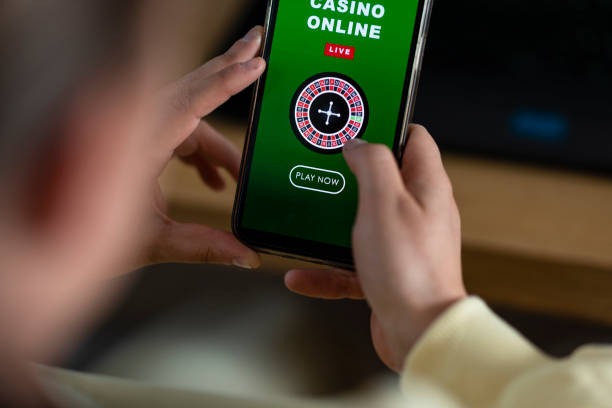

Live table lobby
Open this area for Live Baccarat Turbo and Live Dragon Tiger Prestige. Table cards show the game name and table context before you enter, helping you distinguish faster rounds from standard dealer sessions.

Open the home lobby to see slots, streamed dealer tables, fishing rounds and sportsbook markets arranged around one account menu.
Recognisable names including Pragmatic Play, PG Soft and Habanero help you identify familiar slot styles before opening a game from home.
DANA, OVO, GoPay and QRIS appear as named choices inside our cashier, reducing uncertainty about which wallet route you selected.
The main navigation points to pages that remain useful after your first visit. Each area answers a practical question about games, account status, cashier activity or help, so…
Open this area for Live Baccarat Turbo and Live Dragon Tiger Prestige. Table cards show the game name and table context before you enter, helping you distinguish faster rounds from standard dealer sessions.

Use the slot category and search field to reach Krakatau Blast Reels or another named title. The search remains close to your account and wallet status on smaller screens.
Football, badminton and basketball sit inside the sportsbook route from home. Market selection, open entries and account balance remain in the same browser session as the casino lobby.
The cashier records whether a DANA, OVO, GoPay or QRIS request is waiting, confirmed or requires attention. Keep the receipt reference available if you contact us about a stalled status.
Your first stop on our home page should be the account and lobby controls, not the cashier.
Choose the account option, enter your mobile number, create a password and complete the verification code step. We use that confirmed number as the starting point for access and later account checks.
Your account panel shows verification status and the details attached to your profile. Check that the name and mobile number are correct before using a bank transfer or requesting a withdrawal.
The home navigation separates slots, live casino, fishing, esports and sportsbook areas. You can move from Spaceman Crash Play to badminton markets without opening another account.
Keep your password and phone verification code private. Our support team may ask for transaction details during a status check, but we do not ask you to disclose a verification code in chat.
Help stays close to the home account and cashier routes because login and wallet questions often need a transaction reference. Choose live chat for an active status issue, the email form for a longer record, or mobile help when you are already using the phone lobby.
Open chat from Help and provide the affected route, approximate request time and cashier reference. Keep verification codes private; our team can check status without receiving one.
Use the site email form when you need to describe an account or receipt issue in detail. Include your registered mobile number and transaction reference, but never your password.
The phone menu keeps Help beside the account panel and cashier. This route is useful when a game page, login step or wallet status behaves differently on mobile.
The mobile home page uses one browser path from account access to the casino lobby, sportsbook and cashier. You do not need a separate download.

Phone verification forms the first access check, followed by your password and normal session controls.
We require the phone verification step before account access is completed. The confirmed number supports later identity checks when a login or withdrawal request needs closer attention.
Your password and verification codes should remain with you. Our team can inspect account or transaction status through service tools without asking you to post a current code in live chat.
Use the account menu to end a browser session when sharing a phone, tablet or computer. Returning through the home route reduces confusion caused by saved game pages.
Studio rules, table context and category labels help you understand a title before a round. For sportsbook entries, the confirmation screen shows the selected market before submission.
Scattered bookmarks can leave you on an old game or cashier screen without current navigation.
Game cards and table screens provide the practical data available for each category. Where an RTP figure or game rule is supplied by the studio, check it inside the title before starting.
Check the game panel for studio-supplied RTP wording, feature rules and stake controls before opening the…
Dealer tables show table type and available controls, while baccarat, Dragon Tiger and blackjack follow their…
Spaceman Crash Play displays its round interface and decision controls inside the game rather than using…
Fishing War Fast Round uses its own target, shot and round rules, which should be read…
Football, badminton and basketball entries display market terms and prices in the sportsbook before you confirm…
RTP percentages are informational reference values from provider documentation. Actual session outcomes vary.
Our browser-based home page is arranged for customers accessing from Indonesia, including phone sessions in Bandung. DANA, OVO, GoPay and QRIS provide the local wallet context, while BCA, BRI, Mandiri and BNI may appear through bank transfer or virtual account routes. Availability varies by location and where local law permits. Check the regional access wording in the footer before opening an account or submitting personal details.
The home screen is defined by practical controls rather than a single promotional panel.
Live Baccarat Turbo and Live Dragon Tiger Prestige appear with clear title labels, placing dealer-table access beside the broader casino and slot navigation.
The slot row and search control shorten the route to a named title such as Krakatau Blast Reels, especially when browsing from a smaller phone screen.
Football, badminton and basketball markets are reached through the sportsbook tab. The home menu keeps this route separate from casino game cards.
DANA, OVO, GoPay and QRIS labels identify local cashier choices before you submit a request, reducing uncertainty about the route attached to your transaction.
The account panel shows verification context and provides the route to transaction history. Use it to confirm profile details before requesting a withdrawal.
Live chat, the email form and policy links remain reachable from home. They provide support and account wording without requiring you to open a game.
These answers cover the questions most closely tied to the zeus23 home page: what appears there, how account access starts, where local wallets sit, which devices work and how you reach us when a status needs attention.
Begin with the account panel if you need to verify access or check profile status. Move to the lobby categories for games, use the cashier only after confirming your details, and keep…
Open the account panel to see whether phone verification or another profile check is pending. Complete that step before entering the cashier or requesting account assistance.
Select slots, live casino, fishing, esports or sportsbook from the main category menu. Search is available when you already know the exact title you want.
Choose DANA, OVO, GoPay, QRIS, virtual account or bank transfer only after checking your profile details. Save the resulting transaction reference for status questions.
Contact us through chat, the email form or mobile help for operational questions. Use the footer when you need privacy, account or regional access wording.